Free Government iPhone in Texas: Safe Lifeline Options for 2026
Texas residents can look into Lifeline phone service and possible iPhone or smartphone offers, but there's no official statewide Texas program that guarantees every eligible person a free iPhone. EBT, Medicaid, SSI, income, housing help, veterans benefits, and qualifying Tribal programs can all help prove Lifeline eligibility. The actual phone offer, though, depends on the provider, your ZIP code, stock, fees, shipping, and service terms.
Quick answer for Texas residents
Lifeline is still active. ACP ended, and ACP discounts stopped after June 1, 2024. In Texas, SNAP benefits are commonly accessed through the Lone Star Card, and Texas Medicaid may also help prove eligibility. An iPhone is never automatic. Many Lifeline phone offers are Android devices, and some iPhone offers may be refurbished, limited, ZIP-code dependent, or simply unavailable by the time you apply.
Lifeline Free iPhone is independent and informational only. We do not provide phones, approve applications, or collect sensitive benefit data.
Quick Answer for Texas Residents
A free government iPhone in Texas usually comes down to one of three things: a Lifeline-supported phone service plan, a provider promotion that may include a smartphone, or a discounted or refurbished iPhone offer from a participating company. It does not mean the federal government or the State of Texas hands every eligible resident a free Apple device.
Texas residents who receive SNAP through the Lone Star Card, have Texas Medicaid, receive SSI, live in qualifying housing assistance, receive Veterans Pension or Survivors Benefit, or meet the income limit may be able to qualify for Lifeline. The phone itself is a provider matter, not a government promise.
That difference really matters. Lifeline is mainly a monthly phone or internet service benefit. A device offer gets added by a phone company under its own terms. One provider may show an Android phone in your ZIP code, another may show a refurbished iPhone with a copay, and another may offer service only.
What "Free Government iPhone" Means in 2026
The phrase sounds simple, but the real process is far more limited. There is no guaranteed federal iPhone program for Texas residents. Lifeline can help eligible households lower the cost of phone, internet, or bundled service. A free or discounted device may show up through a Lifeline provider, but that is not the same thing as a government-issued iPhone.
Lifeline service discount
Lifeline helps with monthly communication service. It is not mainly a phone-giveaway program.
Provider device offers
Some companies may offer smartphones. iPhone stock, device condition, shipping, activation, and copay rules vary.
Android backup option
In many Texas ZIP codes, Android phones are more common than iPhones. A good Android offer may be the fastest practical option.
Important ACP update
The Affordable Connectivity Program ended because it ran out of additional funding, and households stopped receiving ACP discounts after June 1, 2024. Any Texas page, ad, or social media post claiming "ACP free iPhone approval today" should be treated with real caution.
Does Texas Have a Free iPhone Program?
There is no verified official statewide program in Texas that guarantees a free iPhone to every eligible resident.
Texas residents should look at safer routes instead: Lifeline phone service, provider smartphone offers, official benefit eligibility records, public library internet access, community action support, and assistive technology resources for people with disabilities or aging Texans.
Texas has a specific Lifeline application detail that many state pages miss. Lifeline Support states that residents in Texas should visit the Texas state website to apply for Lifeline rather than relying only on the standard National Verifier path. After approval, the resident still has to connect with a participating phone or internet company.
Do not treat "Texas free iPhone" ads as approval
An ad, quiz, or social media message is not a Lifeline approval. Approval, device availability, and service activation are separate steps.
Main Ways Texas Residents May Qualify
A Texas household may qualify for Lifeline through a qualifying public benefit program or through income. The benefit is generally limited to one Lifeline benefit per household, not one per person. A household means people who live together and share income and expenses.
| Qualification route | Texas example | How it helps | Phone expectation |
|---|---|---|---|
| SNAP / EBT | Texas SNAP benefits on the Lone Star Card | May prove Lifeline eligibility if the name and benefit record match | Does not guarantee an iPhone |
| Medicaid | Texas Medicaid or Medicaid managed care records | May prove program-based eligibility | Provider still decides device offer |
| SSI | Supplemental Security Income | May qualify the household for Lifeline | Check ZIP code and provider terms |
| Income | Household income at or below Lifeline income limits | May qualify even without SNAP or Medicaid | Documents may be reviewed more closely |
| Housing assistance | FPHA, Section 8, public housing, or related assistance | May support eligibility through housing benefit proof | Device still varies by company |
| Veterans and survivors | Veterans Pension or Survivors Benefit | May support Lifeline eligibility | Compare service, data, fees, and phone condition |
| Tribal programs | Qualifying Tribal programs on eligible Tribal lands | May qualify for enhanced Lifeline support | Availability depends on land status, provider coverage, and stock |
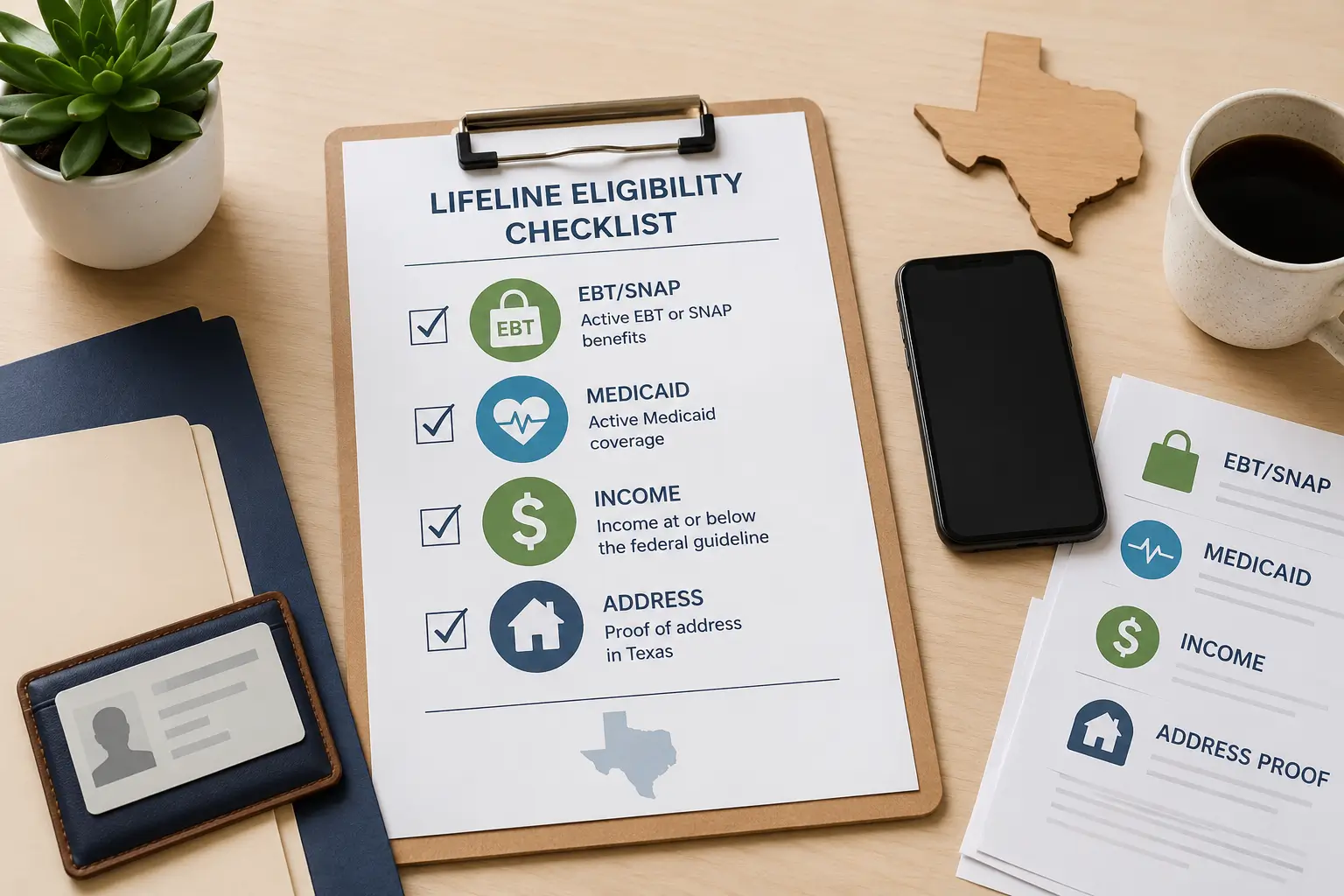
EBT/SNAP Free iPhone Options in Texas
Texas SNAP benefits are handled through Texas Health and Human Services, and approved food benefits are accessed through the Lone Star Card. If you receive SNAP, that benefit may help prove Lifeline eligibility. It does not mean your Lone Star Card itself gives you an iPhone.
The safer path is straightforward: confirm your SNAP record is current, make sure your name and address match your phone application, check the Texas Lifeline route, then compare providers by ZIP code. Some providers may accept a benefits letter, approval notice, Your Texas Benefits record, or other official proof if automatic verification doesn't find a match.
Many Texas residents run into document problems because the benefit record has an older address, a shortened name, a married name, a different apartment number, or a mailing address that doesn't match the service address. Fix those issues before trusting a fast-approval ad.
EBT reader note
For a deeper EBT-focused path, read our free iPhone with EBT guide. Keep your EBT PIN private. No real Lifeline phone application should ever ask for your EBT PIN.
Medicaid Free iPhone Options in Texas
Texas Medicaid and CHIP are administered through Texas Health and Human Services. Medicaid can help low-income children, families, seniors, people with disabilities, pregnant women, and other eligible groups get health coverage. A current Medicaid record may also help prove Lifeline eligibility.
Texas Medicaid does not guarantee an iPhone. It can help with eligibility verification, while the phone offer still comes from a Lifeline provider or wireless company. A provider may ask for proof if your Medicaid status isn't found automatically. That proof may be an approval letter, benefits letter, account screenshot, or other accepted document, depending on the verifier or provider rules.
For Texas households with Medicaid managed care, the name on the health plan card and the name on the Lifeline application should be consistent. If your card lists a child but the phone application is under a parent, the eligibility route may need extra proof that the child is part of the household.
Lifeline iPhone and Free Phone Options in Texas
Lifeline is the main active federal phone assistance program. In Texas, the application route is different from many states because Lifeline Support directs Texas residents to use the Texas state website for Lifeline application steps. After the eligibility step, you still need a participating provider to apply the benefit to service.
Use our Lifeline provider guide as a starting point, then check provider availability by ZIP code. Texas is large enough that provider options can change sharply from one county to the next. A Houston ZIP code may show different options than a rural Panhandle ZIP code, a border community, or a Gulf Coast address.
Device language deserves careful reading. "Free phone" may mean a basic smartphone, a refurbished Android, a 5G Android, a bring-your-own-phone plan, or a discounted device. "iPhone available" may mean limited stock, a copay, refurbished condition, specific models only, or a promotion that's already gone by the time you apply.
Check eligibility first
Use Texas Lifeline guidance and official benefit proof. Do not start with a random iPhone ad.
Search by ZIP code
Provider coverage and phone offers vary inside Texas. ZIP code checks matter more than statewide claims.
Read device terms
Look for activation fee, shipping fee, copay, refurbished condition, data plan, and recertification rules.
Phone and Internet Access Issues Across Texas
Texas residents in Houston, Dallas, San Antonio, Austin, Fort Worth, El Paso, Arlington, Corpus Christi, Lubbock, Plano, McAllen, Brownsville, Waco, Amarillo, Beaumont, and Midland-Odessa may see different Lifeline provider options because availability is checked by ZIP code. Large metro areas often have more wireless choices, but that still doesn't guarantee an iPhone.
Rural Texas is a different story. Residents in the Panhandle, East Texas, West Texas, the Rio Grande Valley, and smaller Gulf Coast communities may face fewer provider choices, weaker signal at home, longer shipping times, or address-matching problems. Border communities can also see confusing carrier coverage because a phone may work well in one part of a county and poorly just a few miles away.
Texas also has qualifying Tribal communities, including areas connected to the Alabama-Coushatta Tribe of Texas, Kickapoo Traditional Tribe of Texas, and Ysleta del Sur Pueblo. Tribal Lifeline rules may be different if the household lives on qualifying Tribal lands and meets program requirements.
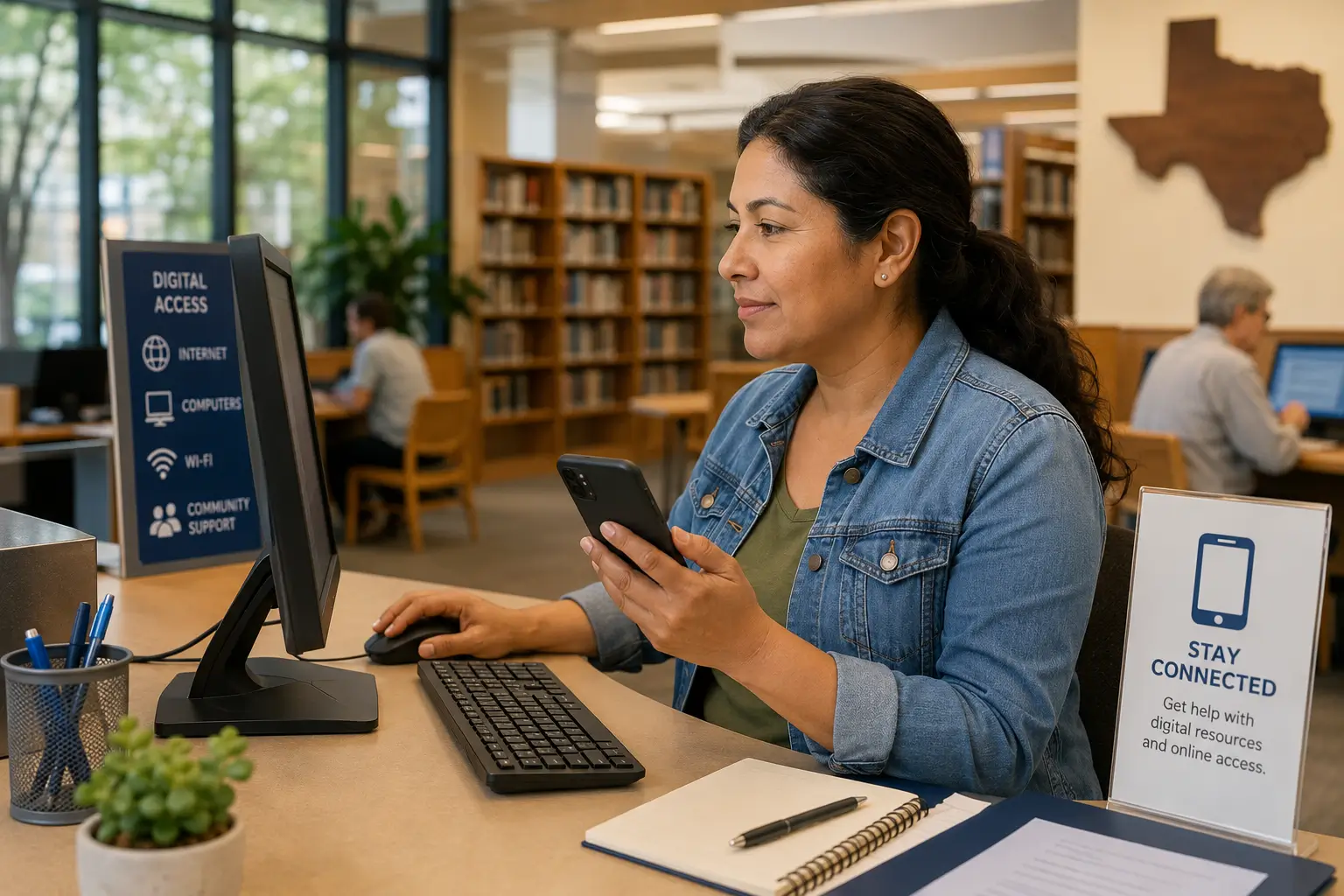
For residents who need internet access to apply, public libraries are genuinely useful. Texas State Library resources point Texans toward digital literacy help, local library support, and public computer access. The Texas Broadband Development Office also works on broadband expansion and digital opportunity, which matters for households that need reliable service for school, job applications, telehealth, and benefit management.
Texas-specific document issues
- Old address on a Lone Star Card account or Medicaid record
- Rural route, PO Box, apartment, or unit mismatch
- Name difference after marriage, divorce, or shortened legal name
- Benefit proof showing a child while the adult applies for service
- Provider coverage showing service available online but weak signal at the actual home
Safe Path to Check Lifeline iPhone Options in Texas
Go through this path before sharing any personal information or paying any fee. It keeps the focus on official eligibility, safe provider checks, and realistic device expectations.
Confirm eligibility
Check SNAP, Medicaid, SSI, income, housing, veterans, or Tribal eligibility.
Use the right route
Follow Texas Lifeline or official Lifeline guidance before provider shopping.
Search by ZIP
Provider offers can change by city, county, and service address.
Compare terms
Check iPhone, Android, 5G, refurbished status, fees, shipping, and plan limits.
Apply safely
Use a safe provider or official channel. Save confirmations and emails.
Avoid scams
Do not share EBT PINs, banking details, or card details for "instant approval."
Documents You May Need
Texas residents should prepare documents before starting. The goal is not to upload everything everywhere. The goal is to have clean proof ready if the verifier or provider can't confirm your eligibility automatically.
| Document type | Examples | Texas issue to check |
|---|---|---|
| Identity | Government ID, driver license, state ID, or other accepted ID | Name must match the Lifeline application |
| Address | Utility bill, lease, official mail, or accepted address proof | Rural route, apartment, unit, and ZIP code should be consistent |
| Benefit proof | SNAP, Medicaid, SSI, housing, veterans, or Tribal benefit letter | Texas SNAP users may need Lone Star Card benefit proof, not the card PIN |
| Income proof | Pay stubs, tax return, unemployment statement, or accepted income proof | Use current documents, especially if income changed recently |
| Household worksheet | Used when multiple people at one address need separate household status | Important in shared housing, shelters, student housing, and family homes |
| Tribal documents | Accepted proof for qualifying Tribal program or qualifying Tribal land status | Only relevant where Tribal Lifeline rules apply |
For a step-by-step document path, use our how to apply for Lifeline phone options guide.
Apply Now in Texas: Safe Guided Path
This section is a guide, not a real application form. Lifeline Free iPhone does not collect SSNs, EBT card numbers, EBT PINs, banking details, card details, dates of birth, phone numbers, or home addresses. Approval and iPhone stock are not guaranteed.
1. Eligibility pre-check
Do you have SNAP, Medicaid, SSI, housing assistance, Veterans Pension, Survivors Benefit, qualifying Tribal benefits, or qualifying income?
2. Document readiness
Check that your name, Texas address, ZIP code, and benefit proof match before applying.
3. Provider ZIP check
Search providers for your actual Texas ZIP code. Do not rely on a statewide ad.
4. Device expectation
Compare iPhone, Android, 5G, refurbished condition, shipping, fees, and service terms.
Start with the safer route
Use educational steps first, then move to provider checks. Do not pay a suspicious "approval fee" or share private benefit PINs.
Provider Availability and ZIP Code Checks in Texas
Texas is too large for one provider answer. A person in Dallas may see completely different choices than someone in El Paso, Laredo, Tyler, Abilene, Victoria, or a rural county outside Amarillo. ZIP code, service address, network coverage, and provider enrollment rules all affect what shows up.
Before choosing a provider, compare the monthly service, talk and text limits, data allowance, hotspot rules, activation fee, shipping cost, device condition, return policy, and recertification steps. If a company advertises an iPhone, confirm the model, condition, availability, and whether a copay is required.
Provider pages such as AirTalk Wireless or Assurance Wireless can help you understand provider-style differences, but your actual Texas ZIP code decides what is available.
What To Do If No iPhone Offer Is Available
If no iPhone offer shows up in your Texas ZIP code, that doesn't mean Lifeline is useless. It means you should separate the service benefit from the device wish list.
- Accept Lifeline phone service first if it helps lower your monthly cost.
- Compare Android smartphone offers, especially if the plan includes useful data.
- Check free 5G government phone options for newer Android alternatives.
- Consider buying a low-cost refurbished iPhone separately if Apple features matter to you.
- Use public library computers or Wi-Fi if you need help applying online.
- Check Texas digital opportunity and community action resources for local support.
- For disability-related access needs, review Texas assistive technology resources.
- Avoid paying suspicious "approval," "unlock," or "tracking" fees.
Special Groups in Texas
Seniors
Texas seniors may qualify through Medicaid, SSI, income, housing assistance, or other eligible benefits. Many seniors should prioritize simple service, clear plan terms, and a phone they can actually use. See our senior phone guide.
Families with SNAP
Households using the Lone Star Card should check benefit proof and address accuracy before applying. SNAP can support eligibility, but it does not guarantee an iPhone.
Medicaid households
Medicaid can be a strong eligibility route, especially for families, seniors, and people with disabilities. The device still depends on provider terms.
Rural residents
Rural Texans should check signal quality before choosing a provider. A free phone isn't helpful if service is weak at home.
Veterans
Veterans Pension and Survivors Benefit can support Lifeline eligibility. Veterans should also keep benefit letters clear and current.
People with disabilities
Texans who need accessible technology may want to review assistive technology resources alongside Lifeline phone options.
Scam Warnings for Texas Residents
Scam pages often use benefit language because people searching for phone help are under pressure. Slow down before sharing any private information.
Watch for fake promises
- "Guaranteed free iPhone today"
- "Official government iPhone 13 approval"
- "ACP free phone still active" after ACP ended
- "Pay first to unlock approval"
Protect private data
- Never share your EBT PIN
- Do not give bank or card details to random agents
- Be careful with WhatsApp or Telegram-only sellers
- Do not upload documents to unknown pages
Check the website
- Look for clear contact information
- Check provider names carefully
- Avoid fake tracking numbers
- Read terms before accepting a device
Helpful Checklist Before You Apply
- Confirm benefit or income eligibility.
- Check the one-benefit-per-household rule.
- Gather identity, address, benefit, or income documents.
- Make sure your name and Texas address match across records.
- Compare providers by your actual ZIP code.
- Read device terms before trusting iPhone wording.
- Check whether Android or 5G phone options are better in your area.
- Protect your EBT PIN, SSN, banking details, and card information.
- Save confirmation emails and application references.
- Watch for recertification notices so service is not lost later.
FAQs About Free Government iPhones in Texas
Can I get a free government iPhone in Texas in 2026?
You can check Lifeline-related provider offers in Texas, but no official statewide program guarantees a free iPhone to every eligible resident. iPhone availability depends on the provider, ZIP code, stock, fees, and device terms.
Does the Lone Star Card qualify me for a free iPhone?
The Lone Star Card can show that you receive Texas SNAP benefits, and SNAP may help prove Lifeline eligibility. It does not guarantee an iPhone. Never share your Lone Star Card PIN for a phone offer.
Can Texas Medicaid help me get a Lifeline phone?
Yes, Texas Medicaid may help prove Lifeline eligibility. The device offer still depends on the provider. You may need an approval letter, benefits letter, or accepted account proof if automatic verification doesn't find a match.
Is Lifeline still active in Texas?
Yes. Lifeline is active, but Texas residents should follow the Texas Lifeline application route. Lifeline mainly helps lower phone or internet service cost, while device offers are set by providers.
Did ACP end in Texas?
Yes. ACP ended nationwide, and ACP discounts stopped after June 1, 2024. Be careful with any Texas ad that still promises ACP approval or ACP free iPhones.
Are iPhones guaranteed through Lifeline providers?
No. Some providers may advertise iPhone options, but stock can be limited, refurbished, ZIP-code dependent, promotion-based, or unavailable. Android phones are often more common.
What if only Android phones are available in my Texas ZIP code?
Compare the Android phone, service plan, data, and fees. A reliable Android with Lifeline service may be a better call than waiting for an iPhone offer that isn't available in your area.
Can Texas seniors get free iPhone options?
Texas seniors may qualify through Medicaid, SSI, income, housing assistance, or other eligible benefits. Seniors should check Lifeline eligibility first, then review provider device options carefully.
Do rural Texas residents have fewer provider choices?
Often, yes. Rural areas, parts of West Texas, the Panhandle, East Texas, and some border communities may have fewer provider choices or weaker signal. Always check your exact ZIP code and address.
Will Houston, Dallas, Austin, or San Antonio have better offers?
Large metro areas may show more provider options, but that doesn't guarantee an iPhone. Provider stock, network rules, and plan terms still decide the final offer.
What documents do I need for a Texas Lifeline phone application?
You may need identity proof, address proof, benefit proof, income proof, a household worksheet, or Tribal documents if relevant. Names and addresses should match across records.
How do I avoid Texas free iPhone scams?
Avoid guaranteed approval claims, fake government logos, ACP claims after June 1, 2024, requests for EBT PINs, bank details, card details, and suspicious "pay first" phone offers.
Final Helpful Summary
Texas residents can safely check Lifeline phone and possible iPhone options, but the safest expectation is service help first and device availability second. SNAP through the Lone Star Card, Texas Medicaid, SSI, qualifying income, housing help, veterans benefits, and Tribal programs may all help with eligibility. iPhones are provider-specific and never guaranteed.
Start with official Lifeline and Texas benefit records, compare providers by ZIP code, read device terms, prepare clean documents, and avoid any site or agent asking for your EBT PIN, bank details, or payment to "unlock" approval.
External Resources
Use official or trusted resources for verification. External links are placed here so the main article stays easy to read.
- FCC Affordable Connectivity Program
- FCC Lifeline for Consumers
- Lifeline Support
- Lifeline Eligibility
- USAC Companies Near Me
- Texas SNAP Food Benefits
- Texas Lone Star Card
- Texas Medicaid and CHIP
- Your Texas Benefits
- Texas Broadband Development Office
- Texas State Library Digital Literacy Resources
- Texas Technology Access Program
- Texas Association of Community Action Agencies